

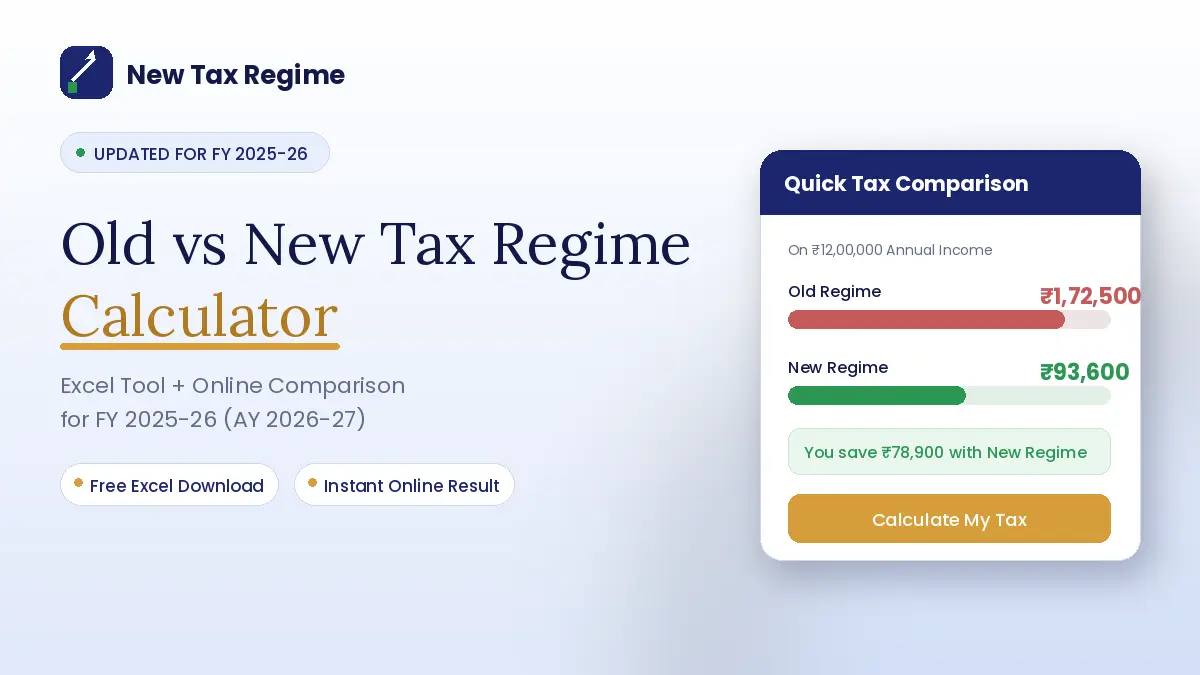
An old vs new tax regime calculator helps compare estimated income tax under both regimes using income, standard deduction, eligible exemptions and permitted deductions.
For FY 2025-26 (AY 2026-27), the comparison is especially relevant because the new regime has revised slabs and a higher Section 87A rebate, while the old regime continues to offer a wider range of deductions and exemptions for eligible taxpayers.
An old vs new tax regime calculator excel sheet can make this comparison easier because you can change salary, deductions and other income to test different scenarios.
The result should show the estimated tax under both regimes so you can identify which calculation produces the lower liability.
Income tax planning for FY 2025-26 (AY 2026-27)
Old vs New Tax Regime Calculator
Enter your income and deductions once. See the tax under both regimes side by side, and which one leaves more money in your hand this year.
How an Old vs New Tax Regime Calculator Works
An old vs new tax regime calculator performs two separate tax calculations using the same income information. It then applies the rules specific to each regime and compares the resulting tax liability.
The basic process is:
Step 1: Enter income. Add salary, interest, rental income and other taxable income that applies to the calculation.
Step 2: Enter applicable exemptions and adjustments. Certain exemptions, such as eligible HRA treatment, can be relevant under the old regime. The new regime has more restricted exemption availability.
Step 3: Enter eligible deductions. Old-regime deductions can include Section 80C, Section 80D and other eligible provisions.
The new regime also permits specified deductions, including eligible employer contributions under Section 80CCD(2).
Step 4: Calculate taxable income. The calculator applies the permitted deductions and adjustments separately for each regime.
Step 5: Apply tax slabs. The applicable slab rates for FY 2025-26 are used to calculate the tax before rebate and cess.
Step 6: Apply rebate and cess. Where the taxpayer qualifies, the calculator applies the relevant Section 87A rebate. Health and education cess is then considered as applicable.
Step 7: Compare the results. The calculator displays the estimated liability under both regimes and the difference between them.
This two-column approach is more useful than looking at tax slabs alone because deductions can materially change the final result.
What Details to Enter in the Tax Calculator
The quality of the result depends on the information entered into the calculator. A calculator cannot produce a reliable comparison if eligible deductions or additional income are missing.
Income and Salary Details
For a salaried taxpayer, common inputs include:
- Annual salary income
- Bonuses and other taxable salary components
- Interest income
- Rental or house-property income, where applicable
- Other taxable income
- Employer contributions or other items relevant to the calculation
The calculator should start with the appropriate income figure and then make the adjustments permitted under each regime.
For example, a salaried employee may have a salary of ₹15 lakh, interest income of ₹50,000 and eligible deductions. The calculator should not simply treat the ₹15 lakh salary as the final taxable income.
Deductions and Exemptions
The old regime generally provides access to more deductions and exemptions when the taxpayer satisfies the relevant conditions.
Examples include:
- Section 80C, subject to its applicable limit
- Section 80D for eligible health insurance and related payments
- Eligible HRA exemption
- Eligible home-loan interest deduction
- Certain NPS-related deductions
- Other deductions permitted under the old regime
The standard deduction for a salaried taxpayer under the old regime is ₹50,000. For FY 2025-26, the standard deduction under the new regime is ₹75,000.
The new regime generally permits fewer deductions, but it is not correct to treat the standard deduction as the only possible deduction in every case.
For example, eligible employer contributions under Section 80CCD(2) can be considered under the new regime, subject to the applicable limit and conditions.
Old vs New Tax Regime Calculator Comparison for FY 2025-26
For FY 2025-26, the new-regime slabs begin with a nil rate up to ₹4 lakh. The subsequent slabs are 5%, 10%, 15%, 20%, 25% and 30%, with the 30% rate applying above ₹24 lakh.
The old-regime slabs for an individual below the applicable senior-citizen age threshold remain different, beginning with a basic exemption of ₹2.5 lakh.
| Calculation Factor | Old Regime | New Regime |
|---|---|---|
| Standard deduction for salaried taxpayers | ₹50,000 | ₹75,000 |
| Common deductions | More deductions may be available if eligible | Fewer deductions generally available |
| Section 80C | Available subject to conditions and limit | Generally not available |
| Section 80D | Available subject to conditions | Generally not available |
| HRA exemption | Available where conditions are met | HRA exemption available under the old regime is generally not available under the new regime. |
| Section 80CCD(2) | Available subject to conditions 14% of salary for Central/State Government employees and 10% for PSU/other employers | Available subject to conditions — up to 14% of salary |
| Tax slabs | Old-regime slabs | FY 2025-26 revised slabs |
| Section 87A rebate | Available subject to eligibility | Rebate increased to ₹60,000 for eligible total income up to ₹12 lakh |
| Main calculator question | Does the value of deductions outweigh the higher rates? | Does the lower slab structure produce lower tax with fewer deductions? |
The ₹12 lakh figure refers to the applicable total-income threshold for the enhanced new-regime Section 87A rebate.
It should not be interpreted as a blanket rule that every type of income up to ₹12 lakh is automatically tax-free. Special-rate income can require separate treatment.
For salaried taxpayers, the distinction between salary and total income also matters.
For example, a salary package above ₹12 lakh may still produce total income within the rebate threshold after an applicable standard deduction, depending on the taxpayer’s circumstances.
New vs Old Tax Regime Calculator: Worked Example
Consider a salaried individual below 60 years with the following figures:
- Annual salary: ₹15,00,000
- Old-regime standard deduction: ₹50,000
- Section 80C deduction: ₹1,50,000
- Section 80D deduction: ₹25,000
- Section 80CCD(1B): ₹25,000
- No HRA exemption
- No home-loan interest deduction
- No other income
Old Regime Calculation
| Particulars | Amount |
|---|---|
| Gross salary | ₹15,00,000 |
| Less: Standard deduction | ₹50,000 |
| Less: Section 80C | ₹1,50,000 |
| Less: Section 80D | ₹25,000 |
| Less: Section 80CCD(1B) | ₹25,000 |
| Taxable income | ₹12,50,000 |
Using the applicable old-regime slabs:
- Up to ₹2.5 lakh: Nil
- ₹2.5 lakh to ₹5 lakh: 5%
- ₹5 lakh to ₹10 lakh: 20%
- Above ₹10 lakh: 30%
The resulting tax before cess is ₹1,87,500. After 4% health and education cess, the estimated liability is ₹1,95,000, assuming no other adjustment applies.
New Regime Calculation
Under the new regime, the standard deduction is ₹75,000.
| Particulars | Amount |
|---|---|
| Gross salary | ₹15,00,000 |
| Less: Standard deduction | ₹75,000 |
| Taxable income | ₹14,25,000 |
The tax under the FY 2025-26 new-regime slabs is:
- Up to ₹4 lakh: Nil
- ₹4 lakh to ₹8 lakh: 5% = ₹20,000
- ₹8 lakh to ₹12 lakh: 10% = ₹40,000
- ₹12 lakh to ₹14.25 lakh: 15% = ₹33,750
Total tax before cess is ₹93,750. With 4% cess, the estimated liability is ₹97,500.
| Regime | Estimated Tax |
|---|---|
| Old regime | ₹1,95,000 |
| New regime | ₹97,500 |
| Difference | ₹97,500 |
In this illustration, the new regime produces the lower estimated tax by ₹97,500. The result is specific to these assumptions and should not be treated as a universal break-even point.
Old vs New Regime Tax Calculator Excel: How to Build the Sheet
An Excel-based old vs new regime tax calculator can be useful when you want to test several income and deduction combinations.
A practical spreadsheet can contain these fields:
| Excel Field | Purpose |
|---|---|
| Annual Salary | Starting salary figure |
| Other Income | Interest and other taxable income |
| Gross Total Income | Combined applicable income |
| Old-Regime Standard Deduction | Applicable salaried deduction (₹50,000) |
| New-Regime Standard Deduction | Applicable salaried deduction (₹75,000) |
| Section 80C | Eligible old-regime deduction |
| Section 80D | Eligible old-regime deduction |
| HRA Exemption | Eligible old-regime exemption |
| Home Loan Interest | Applicable deduction/adjustment |
| Section 80CCD(2) | Eligible employer NPS contribution |
| Other Eligible Deductions | Other permitted deductions |
| Old-Regime Taxable Income | Income after applicable old-regime adjustments |
| New-Regime Taxable Income | Income after applicable new-regime adjustments |
| Old-Regime Tax | Tax under old-regime slabs |
| New-Regime Tax | Tax under new-regime slabs |
| Tax Difference | Difference between both results |
| Lower-Tax Regime | Regime producing the lower calculated liability |
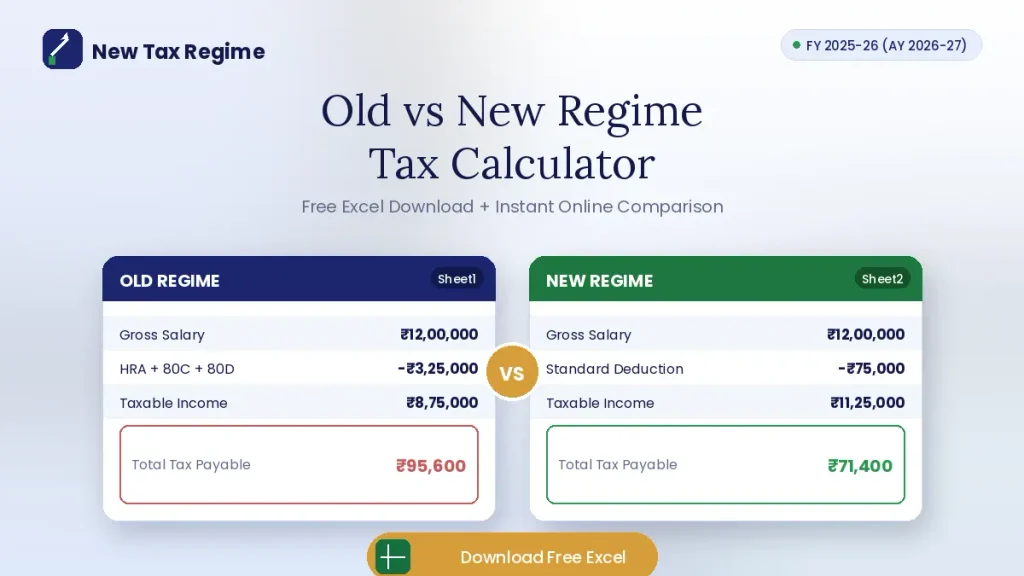
The important point is to separate the old and new calculations rather than use one universal taxable-income formula.
For example, the old-regime taxable income cell could deduct the applicable standard deduction, eligible exemptions and permitted deductions.
The new-regime calculation should use only the adjustments and deductions allowed under the new rules.
An Excel sheet should also have separate cells for slab calculations, rebate and cess. This makes it easier to update the workbook when tax rules change.
Excel Formula Structure Example
When building your Excel sheet, consider using this formula structure for slab-wise tax calculation:
For old regime slabs, you can use nested IF statements:
=IF(income<=250000,0,IF(income<=500000,(income-250000)*5%,IF(income<=1000000,(250000*5%)+(income-500000)*20%,(250000*5%)+(500000*20%)+(income-1000000)*30%)))
“This example formula assumes an individual below 60 years of age and does not include surcharge, rebate, cess, or special-rate income within the same formula."
For the new regime, adjust the thresholds and rates accordingly.
Include separate cells for rebate calculation, where the Section 87A rebate under the new regime is the lower of the tax amount or ₹60,000, provided total income does not exceed ₹12 lakh.
Remember to add 4% health and education cess after calculating the tax and rebate. This modular approach makes it easier to update individual components when tax rules change in future Budgets.
When the Old and New Tax Regime Calculator May Give Different Results
An old and new tax regime calculator can produce very different results even when two taxpayers have the same salary.
Size of eligible deductions
A taxpayer with substantial eligible deductions may reduce taxable income significantly under the old regime. Section 80C, Section 80D, eligible HRA and certain home-loan deductions can therefore affect the comparison.
Salary structure
Salary components can also influence the calculation. HRA is one example where eligibility and actual circumstances determine whether an exemption can be claimed under the old regime.
Under the new regime, HRA exemption is generally not available. The calculator should therefore apply HRA exemption only where the old-regime rules permit it. The calculator should reflect these differences appropriately.
Home-loan treatment
Home-loan interest requires careful treatment because the applicable rules depend on factors such as the type of property and the regime selected.
The new regime also has specific house-property provisions, so an Excel calculator should not simply disable every Section 24-related calculation when the new regime is selected.
Employer NPS contribution
Employer contributions covered by Section 80CCD(2) can also affect the comparison. For FY 2025-26, the deduction limit under the new regime is 14% of salary for central and state government employees and 10% for other employees.
Under the old regime, the deduction limit for employer NPS contributions under Section 80CCD(2) is 14% of salary for Central or State Government employees and 10% of salary for PSU or other employers. An Excel calculator should include separate input fields for employer NPS contributions to accurately reflect this difference.
Rebate eligibility
The new-regime Section 87A rebate is another major calculator input. For AY 2026-27, the rebate can be up to ₹60,000 where the taxpayer satisfies the applicable conditions and total income does not exceed ₹12 lakh.
Because the result depends on several variables, there is no single deduction amount that guarantees that the old regime will be better for every taxpayer.
How to Choose the Result Shown by the Calculator
Start with the final tax liability, not simply the tax rate.
If the calculator shows a lower amount under the new regime, compare the result with your actual salary structure and permitted deductions.
If the old regime produces lower tax, check that every deduction entered into the spreadsheet is genuinely available and supported by the required conditions.
Also consider whether the figures are realistic.
For example, entering ₹1.5 lakh under Section 80C is appropriate only when the taxpayer actually has eligible investments or payments supporting that deduction.
The calculator should not be used to assume deductions that have not been incurred.
A useful Excel calculator should allow “what-if” comparisons. You can change salary, deductions or other income and see whether the lower-tax regime changes.
The result is an estimate based on the information entered. More complex situations, including business income, special-rate income, multiple properties or unusual deductions, may require a more detailed tax calculation.
Key Takeaways
- Enter all relevant income sources before comparing the two regimes.
- Use only deductions and exemptions for which the taxpayer is eligible.
- For FY 2025-26, the new regime uses revised slabs beginning with nil tax up to ₹4 lakh before considering the rebate.
- The new-regime Section 87A rebate can be up to ₹60,000 for eligible total income up to ₹12 lakh.
- Do not build an Excel calculator on the assumption that the new regime permits only the standard deduction.
- Recalculate whenever income, salary structure or eligible deductions change.
Frequently Asked Questions
Is there an Excel calculator for comparing old and new tax regimes?
Yes, several Excel calculators are available for comparing old and new tax regimes for FY 2025-26.
These calculators typically allow you to enter your income and deduction details and automatically compute tax under both regimes, highlighting the more beneficial option.
You can also build your own Excel sheet using the structure described in this article. However, always verify that the formulas reflect the latest tax rates, rebate limits, and standard deduction figures for FY 2025-26 before relying on the result.
Which information is needed for an old vs new tax regime calculation?
You need your annual salary or income, details of eligible deductions under Section 80C, Section 80D, and other applicable sections, HRA exemption details (if claiming), home loan interest information (if applicable), and any other taxable income such as interest or rental income.
For the new regime, primarily your income and standard deduction are needed, along with any employer NPS contributions that may be eligible. The more accurate your inputs, the more reliable the comparison will be.
Can deductions change which tax regime is better?
Yes, deductions are often the deciding factor. The old regime allows many deductions like Section 80C, Section 80D, HRA, and home loan interest, which can reduce taxable income significantly.
If your eligible deductions are substantial, the old regime may be more tax-efficient despite its higher rates. The new regime offers lower rates but generally does not allow these deductions, with limited exceptions.
There is no fixed deduction threshold that guarantees the old regime will be better, as the result depends on your income level and rebate eligibility.
How is tax calculated under the old and new regimes?
Under both regimes, tax is calculated by applying the applicable tax slabs to your taxable income. For the old regime, taxable income is gross income minus eligible deductions and exemptions.
For the new regime, taxable income is gross income minus the standard deduction (₹75,000 for salaried taxpayers in FY 2025-26) and certain specified deductions like eligible employer NPS contributions.
The calculator then applies the respective slab rates, considers the Section 87A rebate where applicable, and adds 4% health and education cess to arrive at the final estimated liability.
Is an online tax calculator more accurate than an Excel calculator?
Both can be accurate if built with the correct tax rules. Online calculators from reputable sources are typically updated with the latest rules and require less technical setup.
Excel calculators offer more flexibility to adjust assumptions, run multiple scenarios, and customize the analysis to your specific situation.
However, you must verify that all formulas, tax rates, rebate limits, and deduction rules are current for FY 2025-26. The accuracy depends on the underlying tax rules and the quality of your inputs, not the format.
Disclaimer: This article is for general information and educational purposes and does not constitute professional tax or financial advice. Tax treatment can vary according to individual circumstances and applicable rules.
